Banner maintenance
Once you have set up your Consenter Banner for the first time, Consenter will display the technical status of your website from that exact moment. As our lives are constantly evolving, as is technology, you will probably want to adjust your processing procedures from time to time. The following adjustments are likely:
- You want to process your users' data for an additional purpose or no longer need a purpose for which you requested consent during the initial configuration of your website.
- You want to reconfigure a third-party tool that you use for one purpose or another by enabling or restricting certain functions of the tool.
- A third-party tool you use changes something in its system that is relevant to your GDPR compliance and/or your users.
- You do not use any third-party tools, but have implemented your own technical processes that you now wish to change.
You can always update such changes in Consenter Manager. Since we automatically process each of your entries in our risk assessment, we can automatically inform your users about the changes the next time they visit your website.
How Consenter handles updates
Our automated risk assessment is unique on the market and very important for you and your users. The reason for this is that Consenter operates on the principle that users should not be shown information again if they have already made a decision for or against giving their consent based on this information. This principle is very important for the positive user experience of your users. In today's practice, many other website operators and consent management platforms (CMPs) create a poor user experience by repeatedly asking users for their consent and withholding relevant information about risks or fatiguing users with irrelevant information.
Consenter only makes an exception to the principle of not showing your users any further information if it is important for you and your users. Consenter adapts to users depending on whether they use the Consenter Agent (CA) or not. CA users only see a so-called handover notice, which disappears automatically after a certain time – unless a user opens the Consenter banner for more detailed information. Users without CA immediately see the Consenter banner, which they then have to close manually. These exceptions arise in the following three cases:
You added a new purpose
Since your user's last visit, you have selected an additional data processing purpose in Consenter Manager and would like to ask your users for their consent for this new purpose.
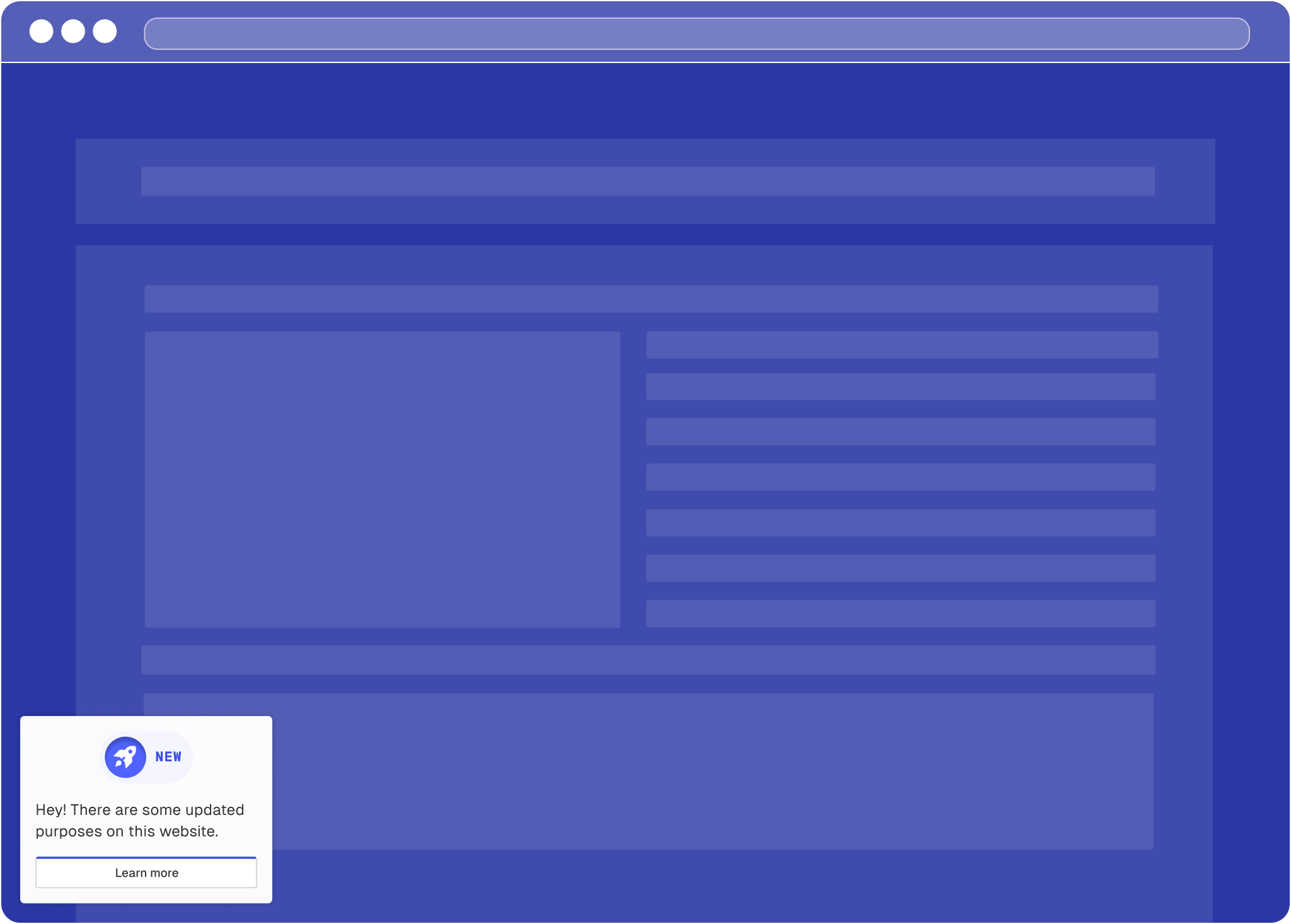
New purpose shown to CA-users
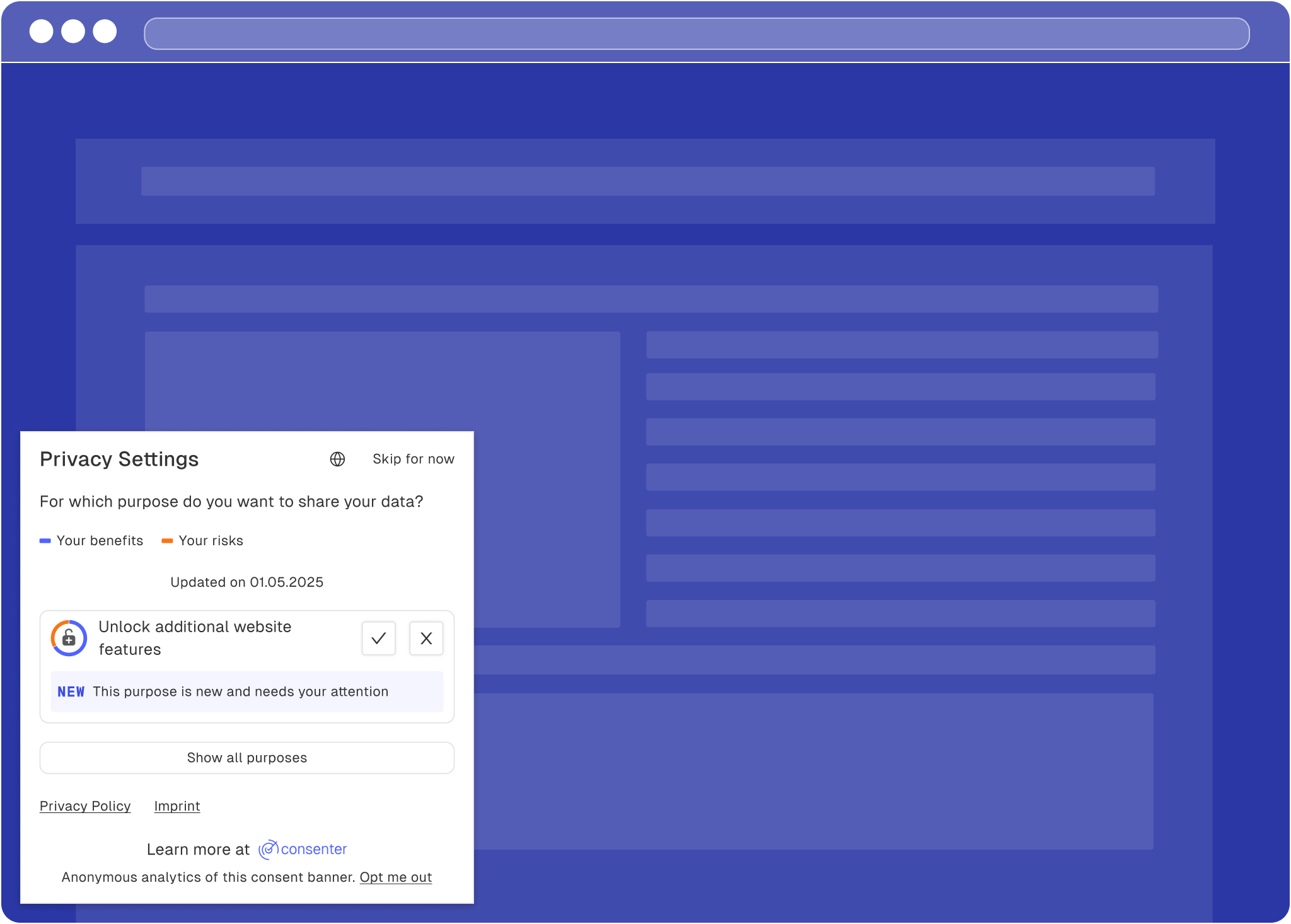
A new purpose for non-CA users
Risk-benefit ratio change in your Consenter Manager
Since the last visit by one of your end users, you or the TPP have made a change to the technical organisational system. If this leads to a change in the risk-benefit ratio that is relevant to the user, you may or should inform them of this during their next visit:
If your user has not yet given their consent for a particular purpose, but the risk-benefit ratio has improved since their last visit, you can ask this user for their consent again during their next visit.
If your user has already given their consent and the risk-benefit ratio has worsened, you should inform them of this the next time they visit your website and give them the opportunity to withdraw their consent.
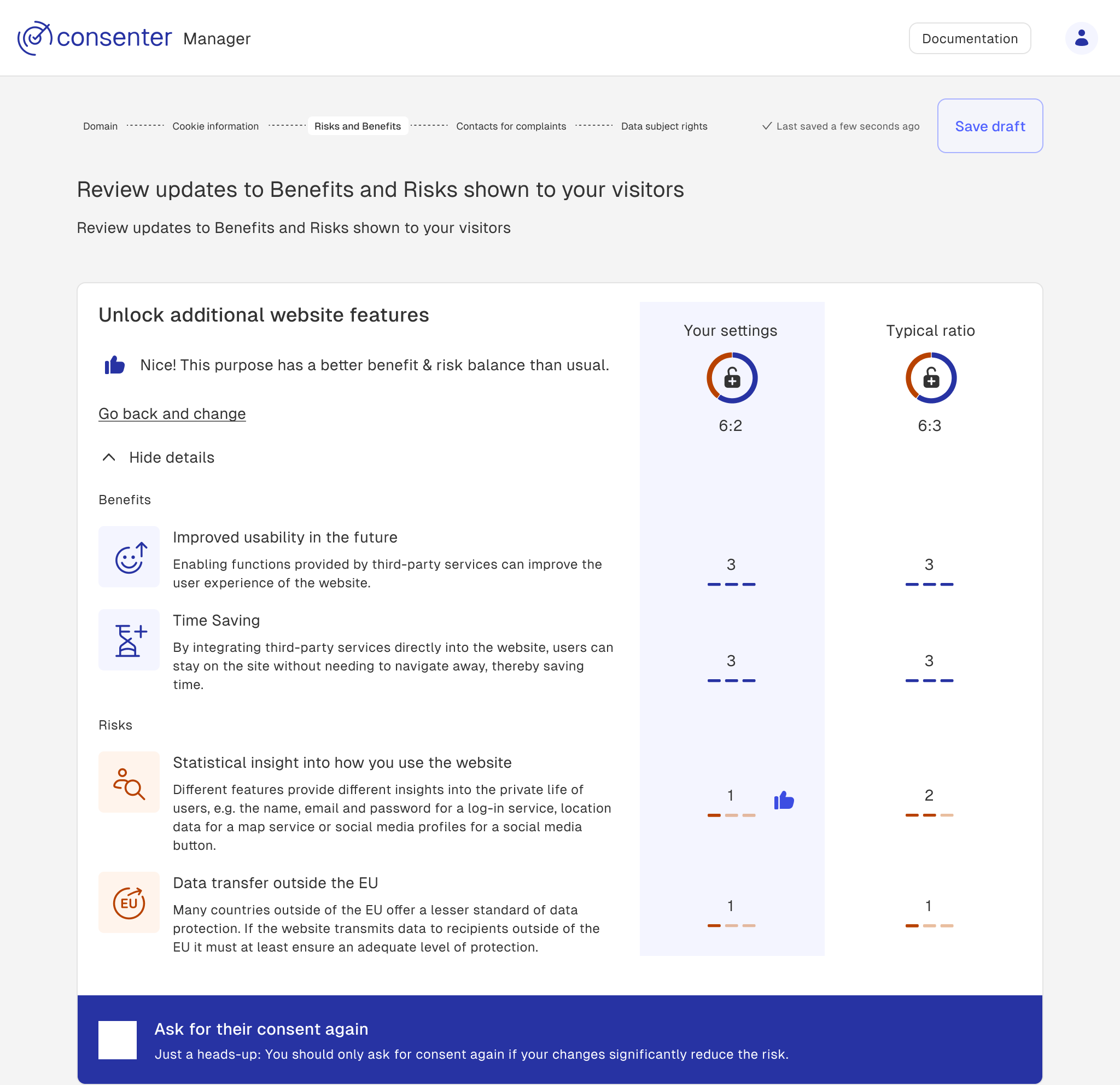
Purpose with better risk-benefit ratio in Consenter Manager
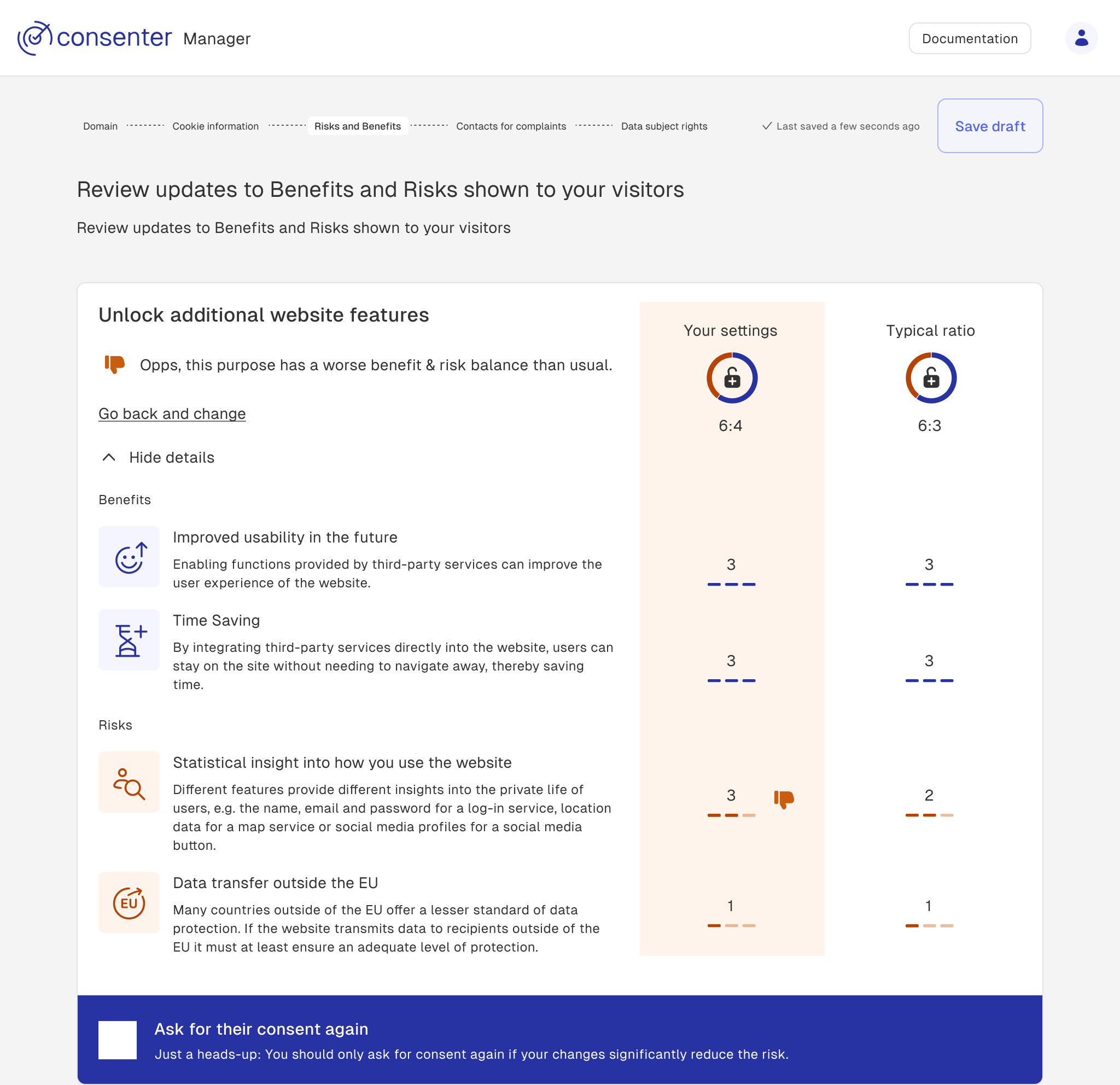
Purpose with worse risk-benefit ratio in Consenter Manager
Important: You remain responsible for correctly implementing data protection law, and we simply help you do so as best we can (in fact, much better than other CMPs do). That is why, in our current version, we give you the choice of whether you want to inform your users again in the second and third aforementioned situations and ask them to make a new decision. Please do not abuse your users' trust, especially in the third case, and allow them to make a new decision.
Risk-benefit ratio change communicated to your user
We will communicate the changes to the risk-benefit ratios to your user the next time they visit your website. Depending on whether they are a Consent Agent user or not, we can display the change to them accordingly.
Your users have not yet consented for a specific purpose. Since their last refusal, you have significantly reduced the risks. As the risk-benefit ratio has improved, you can ask them to make a new decision.
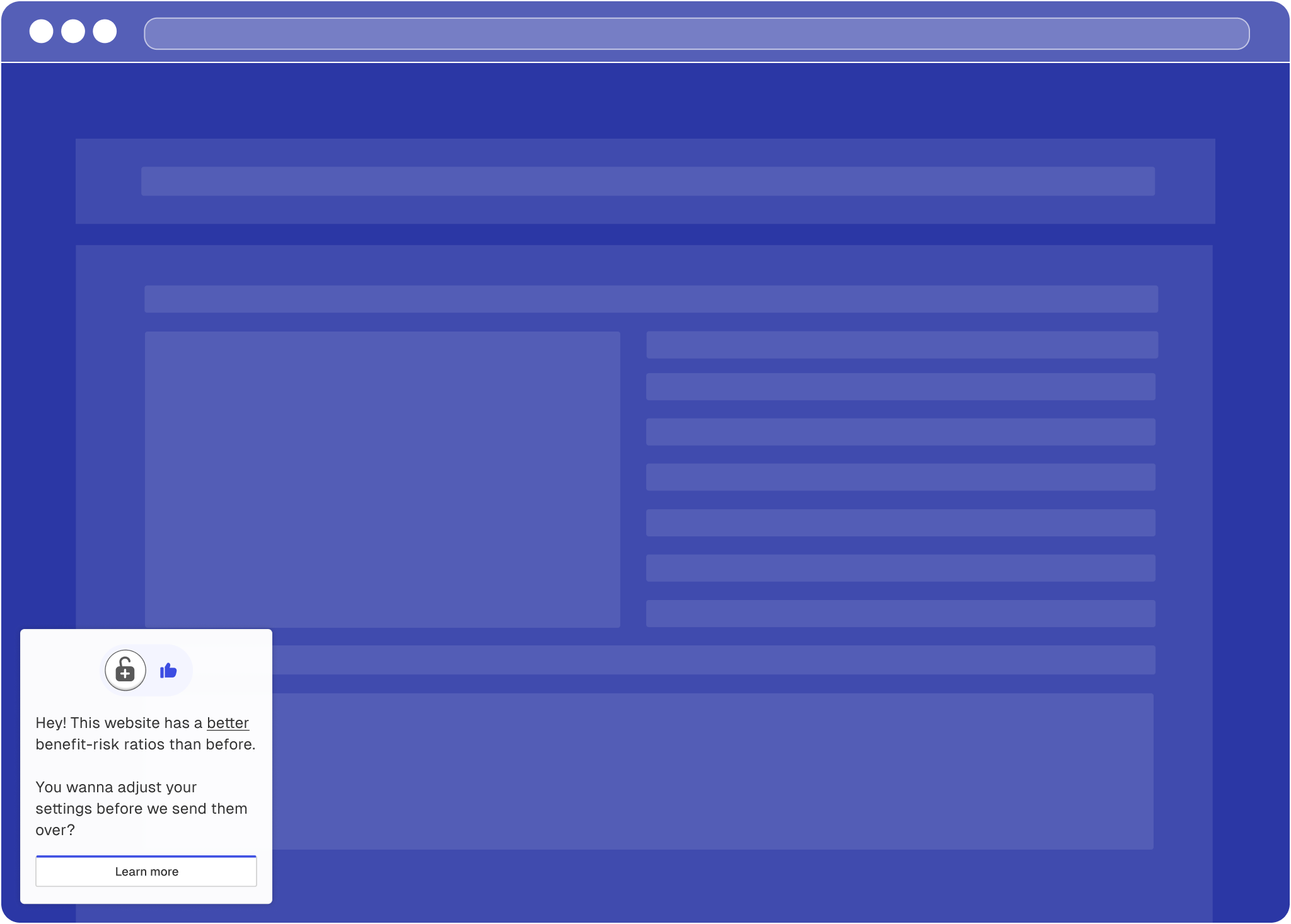
A purpose with better risk-benefit ratio
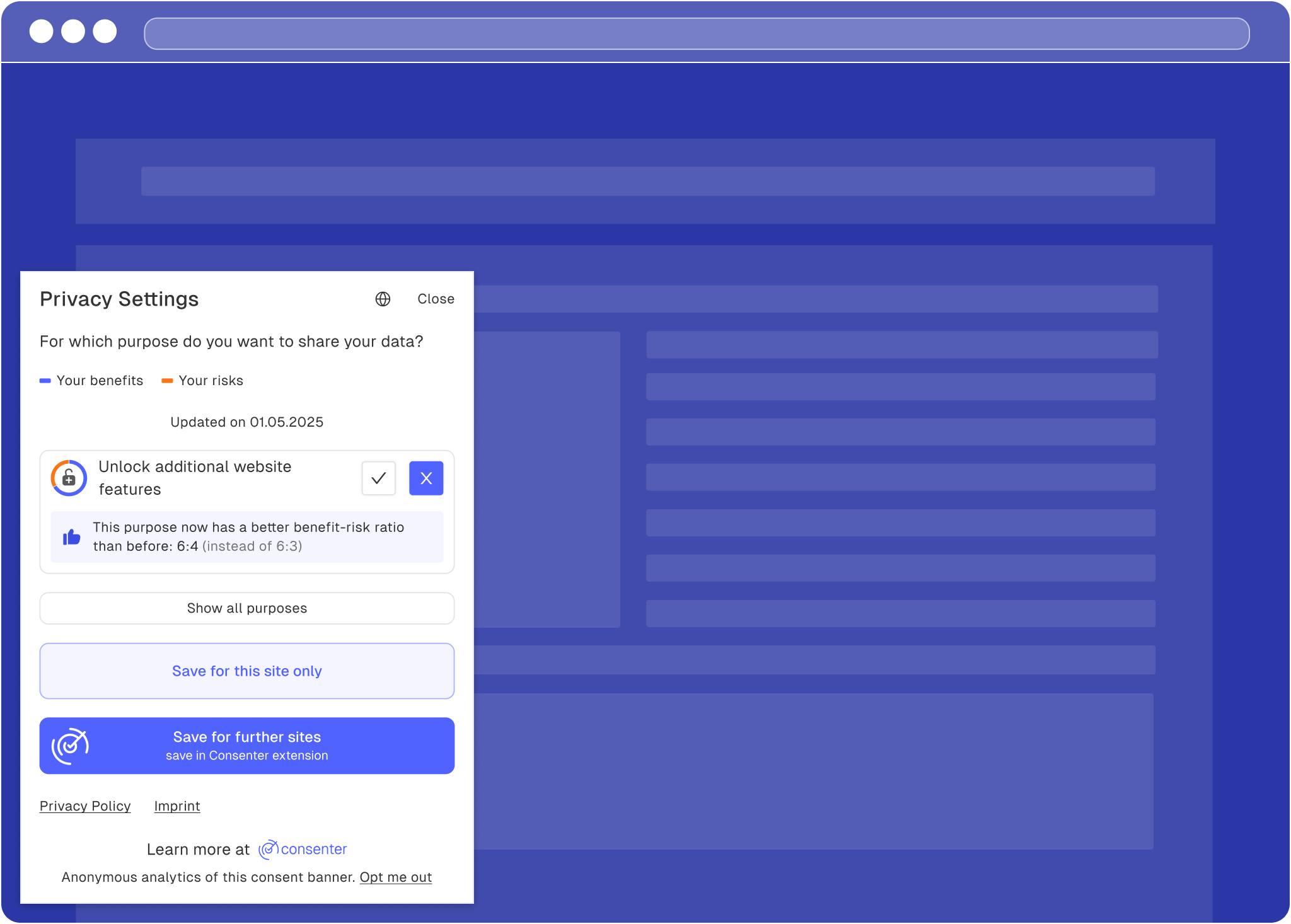
A purpose with better risk-benefit ratio for non-CA users
Your users have consented for a specific purpose. Since their last consent, you have increased the risks. As the risk-benefit ratio has worsened, you should inform your user and give them the chance to make a new decision.
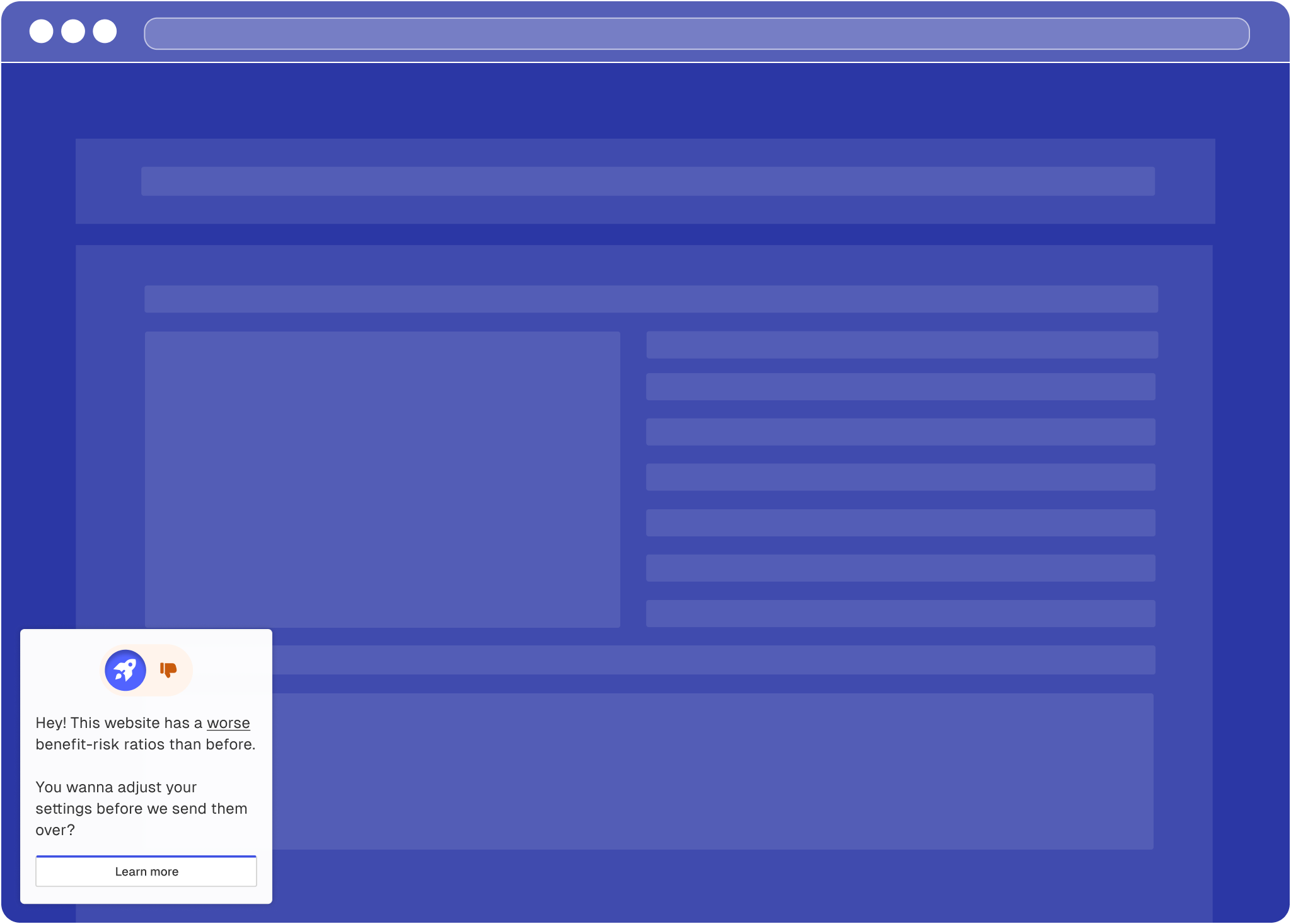
A purpose with worsened risk-benefit ratio
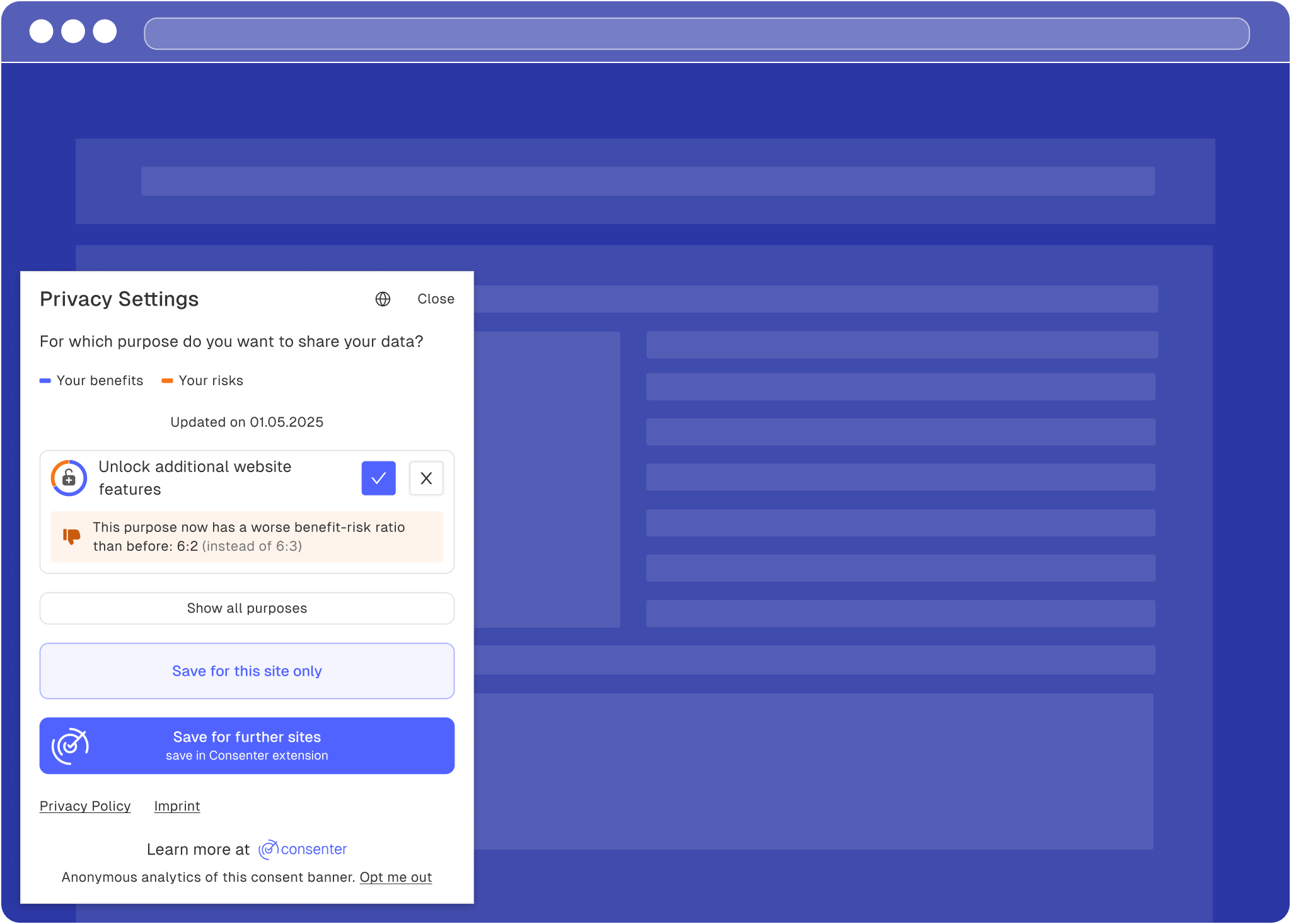
A purpose with worsened risk-benefit ratio
How is this guide?
Last updated on